iPad Updates
We made a few updates to accommodate changes to mobile safari on the iPad. The drop down navigation functions better and allows you to access the drop downs and still click the main navigation item as well. The tooltips on the Delivery Date calendar were interfering with selecting the date, requiring the user to touch once to see the tooltip with delivery charges and then again to choose that date before being allowed to continue. This was causing users to think they were stuck and could not continue past this screen. I removed the tooltip on the iPad so touching the date just selects it now. I also removed the “hover card” from the products. Before when touching the product it would start to show the hover card as it was navigating to the product, now it just takes you to the product a bit faster.
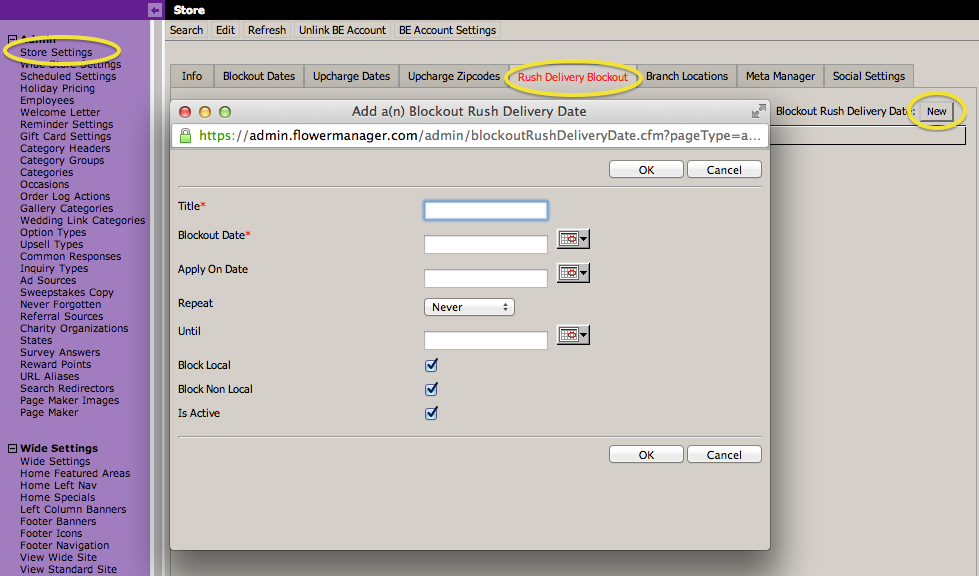
Rush Delivery Blockout Dates
Under Store Settings there is a new tab for Rush Delivery Blockout Dates. These were in much the same way as the regular Blockout Dates, as far as repeating and Local / Non-Local, they just block the offering of Rush Delivery for the dates you specify.
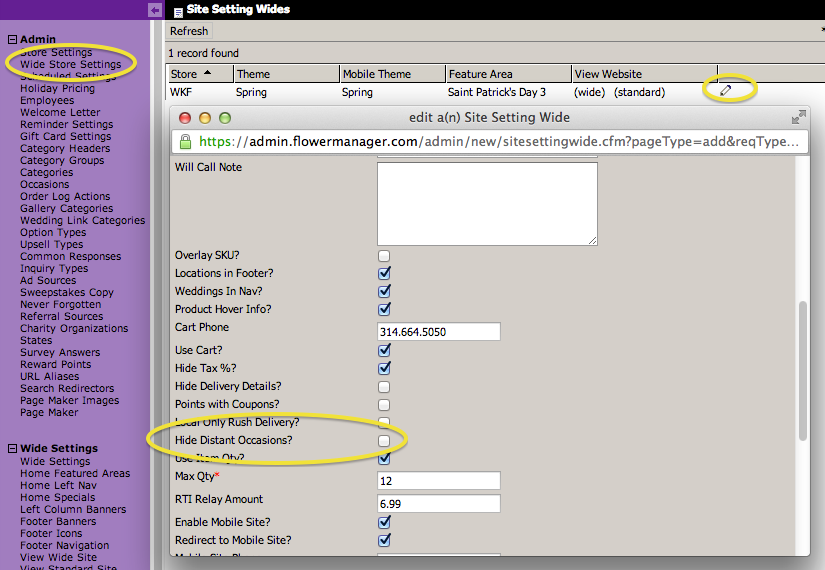
Hide Distant Occasions
We added an option under Wide Store Settings to Hide Distant Occasions. If you check this box then for Occasions that you have specified a date for will not be shown in the Occasion list until they are 90 days in the future, and only for 3 days after they have past (to allow for belated sending). So if you have specified that Valentine’s Day is 2/14 then it will not show up in the list until December 14, and after February 17 it will no longer show up. This is to allow you to have a small Occasion list that isn’t overwhelming to the user. This is not turned on by default so if you want to use this just go check the box.
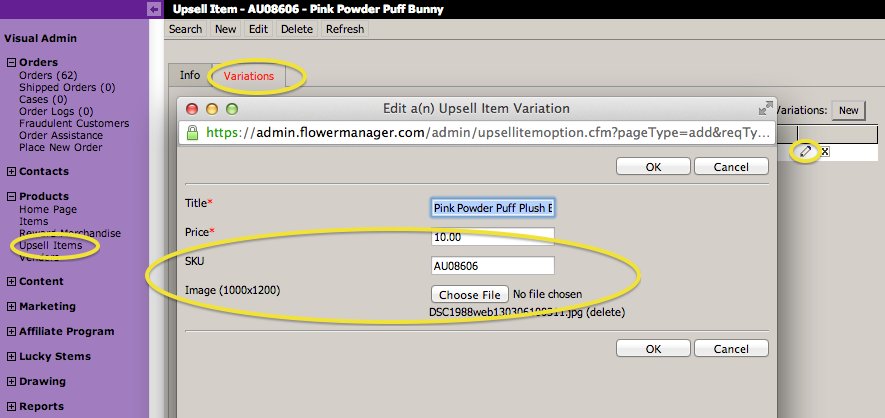
Upsell Item Variation Images and SKUs
We’ve added the ability for you to upload images for each Upsell Item Variation. So for example on the Mylar Balloons you could upload a different image for the Birthday and Get Well balloons and when they choose that option on the Addons screen the image will swap out showing them the different options. You can upload up to 1000×1200 so that we could later allow them to click to see a larger version, but for now we’re just going to resize them to the smaller image size on the screen. We’ve also added a SKU field for better integration with the Direct RTI FTP export, I had mentioned it when I sent that email out originally.